How to Connect Slack to Your ProcessCoach Instance
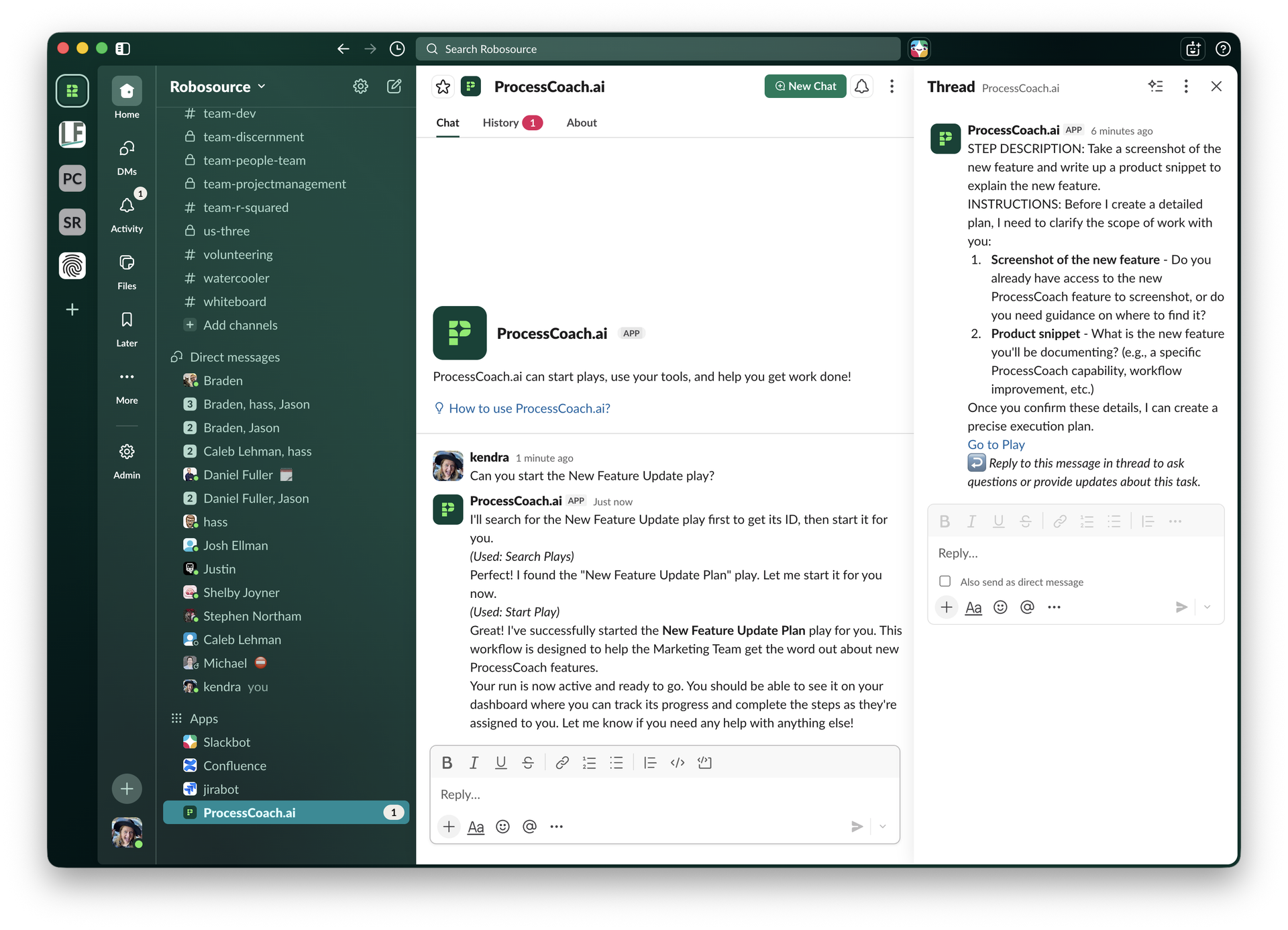
Work where you already are! Your team can now receive task notifications, complete workflow steps, and keep processes moving without ever leaving the conversation. No new dashboards to check; no extra logins to remember. When ProcessCoach assigns a step in a play, the right person gets notified in Slack and can take action right there, keeping your workflow on track without disrupting how your team already communicates.
Here’s how it works:
Please note: For ProcessCoach to work in Slack, user email for Slack must match user email for ProcessCoach.
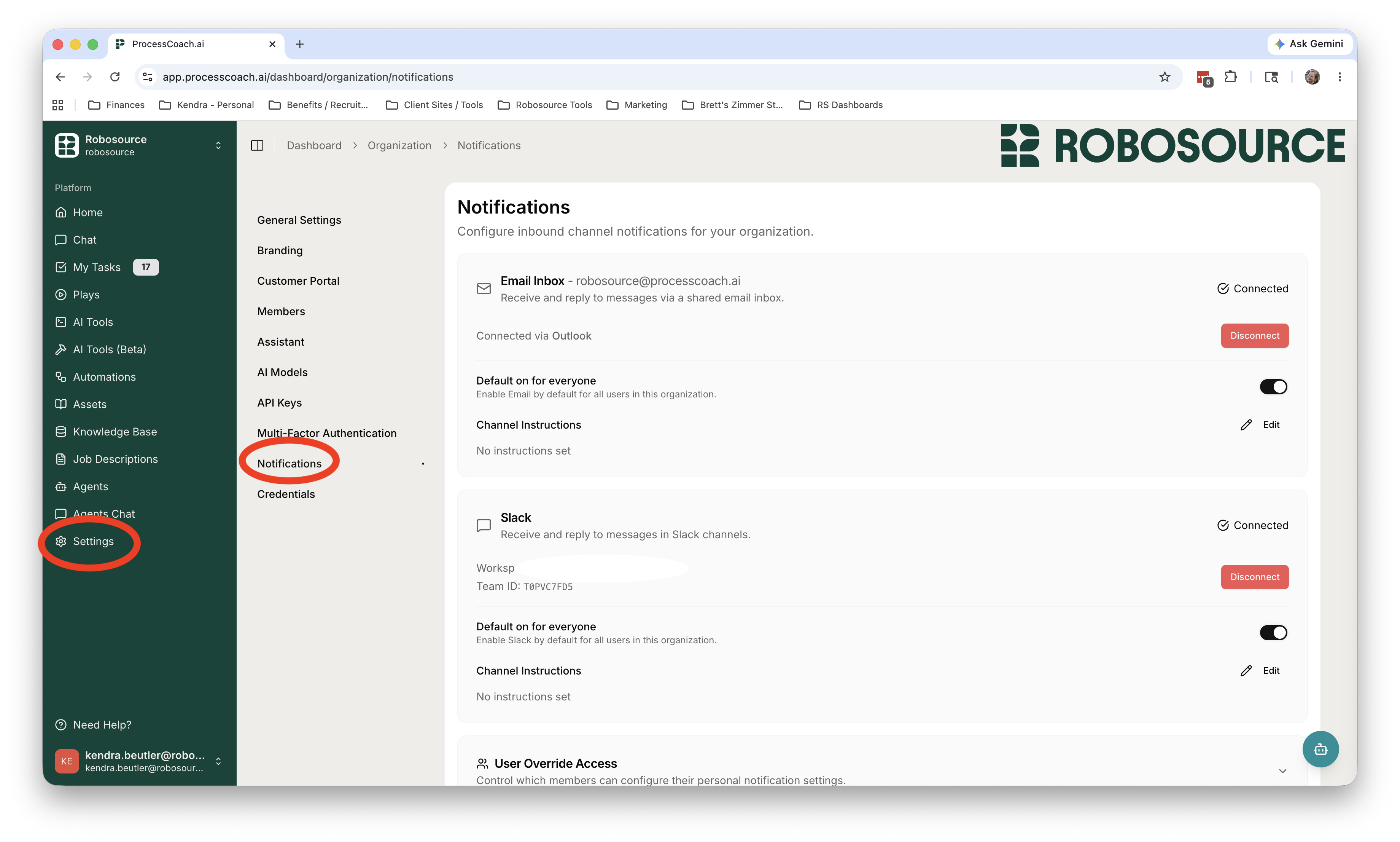
To connect Slack, log into ProcessCoach at app.processcoach.ai, then go to “Settings” in the left-hand sidebar, then to “Notification Settings.” Find Slack, and then connect your Slack instance.
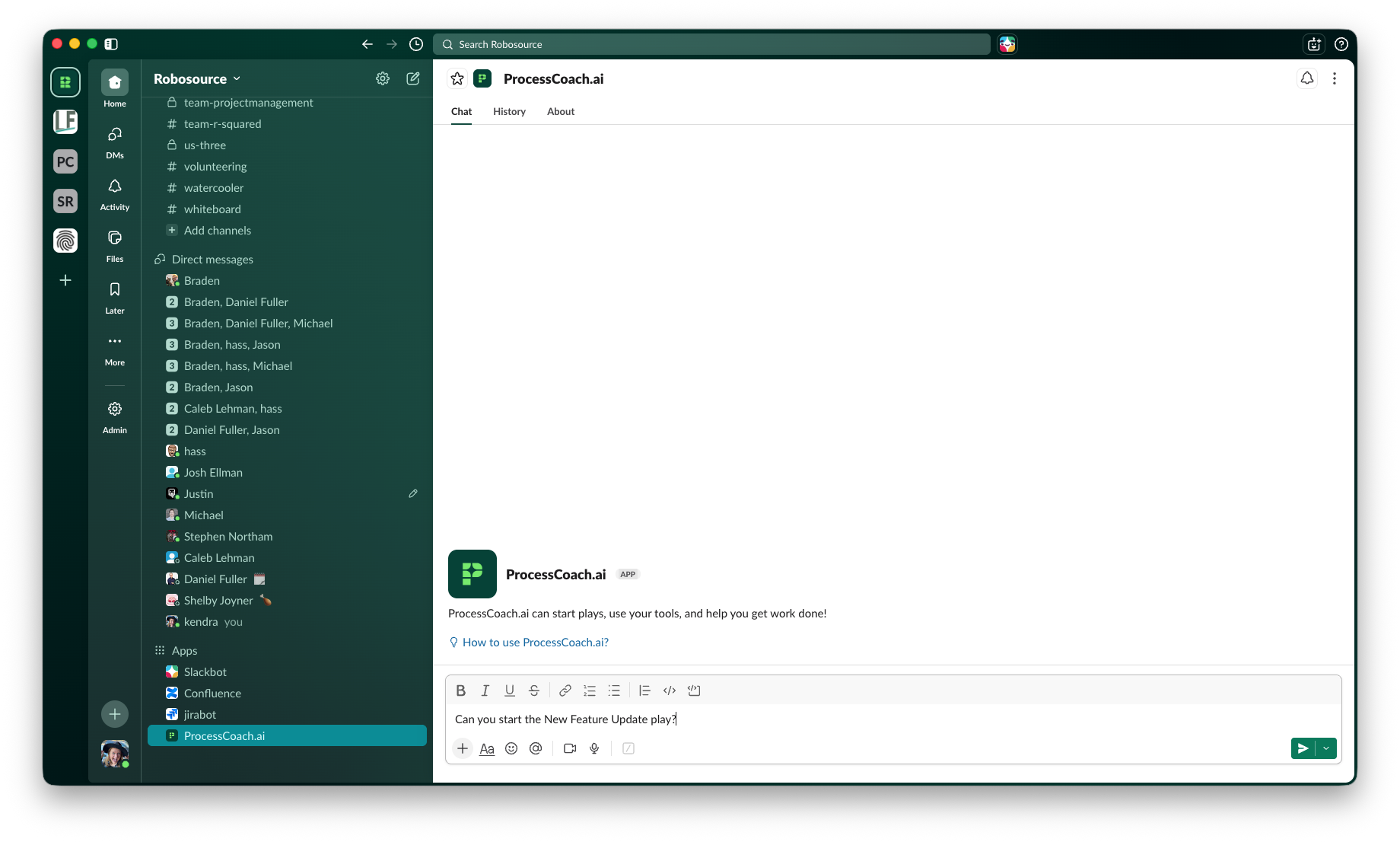
Now go to Slack, and find ProcessCoach.ai in the Apps section at the bottom (you may have to quit Slack and reopen). Go to “New Chat” in the upper right-hand corner. Ask Slack to start a specific play. You can see here that I I asked ProcessCoach to start the New Feature Update play.
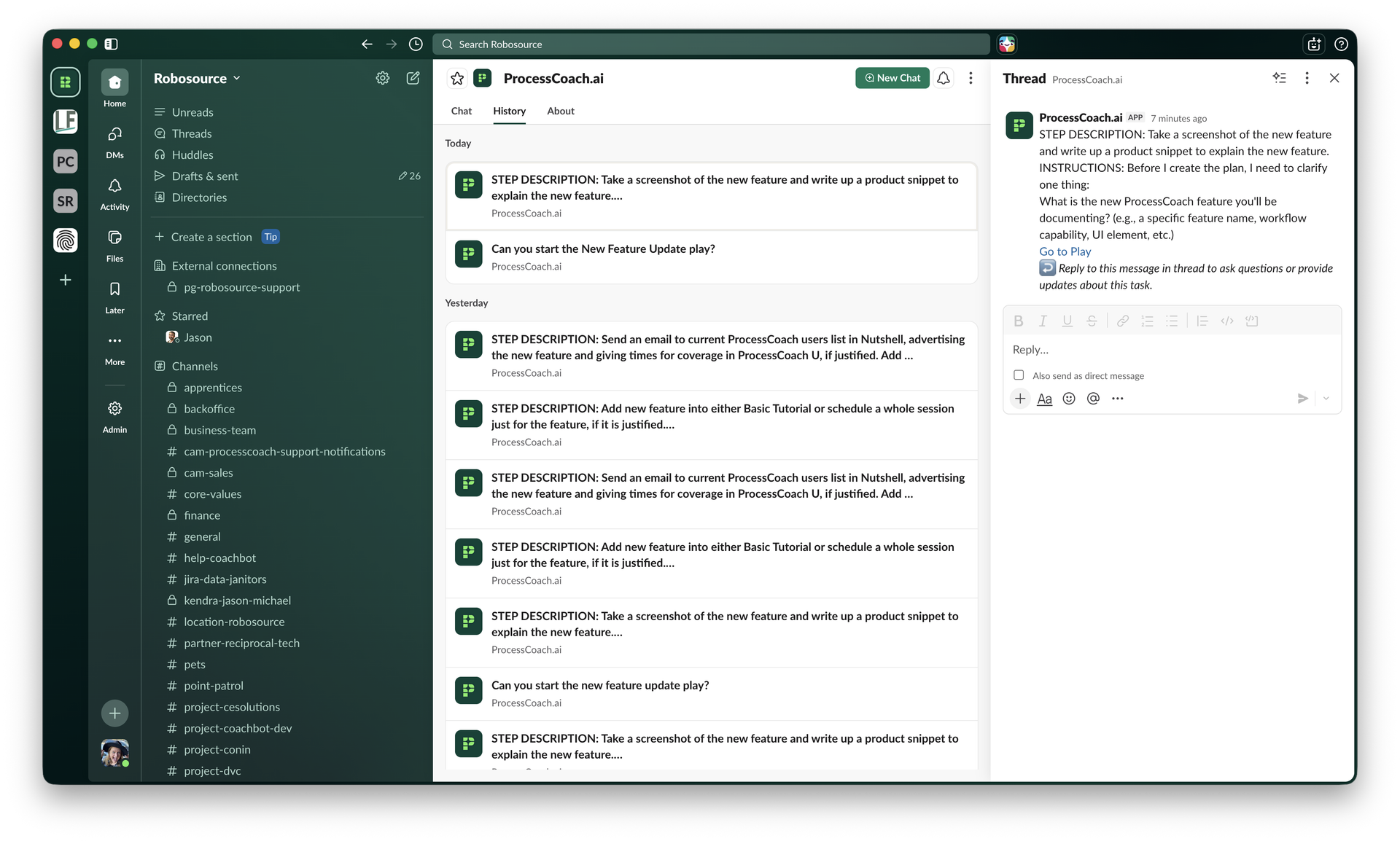
Now switch to the “History” tab at the top, and wait for ProcessCoach to start communicating. Every new step will need to be completed in a thread. Once you click on an instruction, the thread will pop up on the right-hand side (see below). Give ProcessCoach the needed information in this thread. When a new step needs completed (by you or someone else), a new chat will show up in the “History” tab.
That’s it! Now you’ll be notified in Slack whenever a step in a ProcessCoach play needs your attention!
Talk to the Robosource team about what's worth automating first.